Conversion is the ability to take your prospects and turn them into customers, and this is made easier with a website that has been designed, navigated and presented specifically for your target audience.
A Website can be a Business's most Powerful Asset, or its own Worst Enemy
Too many businesses think of their website as an online brochure or business card. The fact is, the Internet has changed; there is more competition and the average consumer demands more from the sites that they visit.
Is your Website Conversion Friendly? Here is the Checklist:
1. Does it Load Fast?
Customers are impatient! We've all done it; a site doesn't instantly load and we hit the back button. Don't be fooled into thinking that your website is the exception.
Conversion friendly websites should also load well (no broken images, glitches etc) and appear in all browsers such as Internet Explorer and Chrome, and on all platforms including tablets and Smartphones.
2. Does your Website Theme read more...
Check out our SEO service pricing page to get an idea of what our services cost.
If you have been shopping for an SEO firm you soon discover that prices range from “Free,” to ridiculous, sky-high fees. Then of course, there is every price in between. So how do you determine how much SEO services cost, and if you will be getting the value that you are paying for?
This article will help you to choose an SEO service that meets your website’s needs and budget, and to avoid costly mistakes that can slow down, or completely derail your SEO marketing campaign.
Why do SEO Companies Not List Their Prices?
The majority of SEO firms do not list their prices.
The reason for this is because every website is unique. There are no two businesses that will require the exact same services, and it is difficult to determine an approximate price range for every business, all at once.
The problem with this approach is that until you contact an SEO firm for a quote or consultation y read more...
Granting someone user access to your Google Analytics reports is easy, and we hope that the following step-by-step guide will make it even easier.
First, go to http://www.google.com/analytics/ to log-in to your Google Analytics account, and then follow these 5 easy steps:
If you don't see some of these tabs and options, it probably means that someone else set up the Analytics account for you and set your access to User instead of Administrator. Only Administrators can grant access to other users, so whomever set up your account will have to increase your access or follow these steps on your behalf.
Note that if you add someone as an administrator, it will give them full privileges to modify anything in your Analytics profile. This level of access may be necessary for what you want them to do, but if you only want them to view your reports then you should set their access to "user".
Sharing your Google Analytics reports in this way will allow anyone you're working read more...
A number of SEO services offer free consultations but a site analysis is a different service. It involves research and data to determine your strategy’s, successes and obstacles.
Why Try an In-Depth Website Analysis?
SEO Second Opinion
We love second opinions. One expert is not always enough!
A site analysis will let you know what your current SEO firm is working on and will tell you where they are proving their worth, and areas that you, as the customer, should be asking about or checking in on.
Improve Strategy on a Budget
If you are a website DIY (do-it-yourself) kind of person, an in-depth analysis will offer the direction for handling your business's web marketing campaign. This way, you will not waste time on Social Media, for example, if your business would benefit best from a pay-per-click campaign.
By discovering your website’s strengths and limitations you will have a clear understanding of where your time and money needs to be invested for the fast and eff read more...
Back in the 90’s all a business had to do was have a website to stand out, receive high rankings in popular search engines and sell their products and services online. In the 2000’s the competition became fierce but a well-designed site and some Internet marketing helped a business to soar past their competitors. So now we ask; what about 2012 and beyond?
Your Website IS your Business - Not an Extension of It
With the growing popularity of mobile apps and smaller, faster computers, shopping from anywhere is easy. Customers buy big screen TVs from the lineup in the grocery store because they have already done their research and read reviews from the convenience of their home or office. There are many families working multiple jobs and encouraging their children to attend extracurricular activities, so who has time to comparison shop in person anymore? No one!
The habits of the average consumer have changed. More people are turning to online storefronts before they visit read more...
While creating content for a new page, think of the following questions:
What is my goal with this page?
Determine exactly what you want this page to do for you. Is it a purely informational content? An introduction? Or is it a sales page.
What do I want the visitor to do?
Do you want to sell them something immediately? Do you want them to contact you? Do you want them to submit an email address? Do you want them to click on to the next page?
If you don’t know precisely what you’d like the visitor to do on this page, they certainly won’t.
How can I make it easy for them to do that?
Make sure that the pages “call to action” is clear and obvious. The “buy now” button, the contact form, the link, or whatever it is should right there in front of them.
Then, take a look at the new page from the visitors perspective…
Why is the visitor here?
Determine what kind of visitor you would ideally have landing on this page. Are they looking to purchase a product you’re selling? Looking to engage your services? Are they trying to answer a question or find some information? Those are very different visitors – so make sure you keep the right one in mind when developing content for each particular page of your website.
What does the visitor want from this page?
If they’ve arrived looking for a particular product, make sure that product is exactly where they land. Don’t require them to run a search of your site to find it.
If it’s information the visitor is looking for, make sure it’s what they find, and entice them to stick around for a while with targeted links to related content on your site.
What would compel them to follow your “call to action”?
Once again, make it easy for them to do it.
If they are visiting to make a purchase, make this easy. Put the “buy” button right there. Don’t place an obstacle like registration in the way. Don’t require them to fill out a quick survey before confirming their order
If they want to get in touch with you, make this easy. Put the contact form or contact information right there.
1. Claiming to be “Partnered With” or “Certified” or “Approved” by any Search Engine
This is simply not possible. No search engine has ever entered into a partnership with an SEO, or used any kind of system to certify or test them. The general consensus on SEOs from search engines isn’t positive. Officially, they’re not fans. But they are aware that SEO is necessary and filling a need.
There is no governing body for SEOs. Given the global nature of search, there probably never will be. There is no official certification or qualifications. Anyone posting a seal or emblem on their website stating otherwise is simply being untruthful.
Google does offer an official certification for AdWords – the Google AdWords Certification Program. But this certification covers their PPC system only – no organic search basics or practices, which means no “certification” for most of what an SEO does. If you’re looking for someone to manage your large AdWords campaigns ONLY, then this Google “badge” on their website is something to look for. If you’re looking for an SEO, this is no indicator of competence or trustworthiness.
2. Anything “Guaranteed”
Anyone promising you “#1 at Google, Guaranteed” is pulling a fast one. First of all, with Google’s search results becoming more and more personalized, and geo-local results rising, it’s almost impossible to know what’s coming up as #1 in someone else’s browser – let alone guarantee it. Just not realistic. Second, what exactly are you being guaranteed? Keywords they’ve deemed best for your site, or keywords they’ve deemed the easiest to rank?
“Pay For Performance” is a less dubious concept, but be very clear on what “performance” is before entering in to this. Your version of success may be quite different from theirs.
3. Talk of Submitting to Search Engines
Search engine submissions have not been necessary for years. If your site is brand new it’s still not necessary. The search engines will find your site. That’s what they do. Even worse, there is still submission software available that will regularly submit your site to “all of the major and minor engines”, and this is still being offered by SEOs. This is not just out-dated, it’s completely invalid. It’s never worked, and it’s never helped.
4. Selling a “Secret” Strategy
Most of what an SEO does for a website is not top secret. What works and what helps is widely known. The information is all out there, if you have the time and inclination to learn about it. Most don’t, and that’s why the SEO industry exists. All search engine optimization companies will have their own pet strategies and methods, and if you ask them for more information about exactly what they have in mind for your site they will probably tell you. So, an SEO firm with “Top Secret Super SEO Strategies” as their methodology is either lying or engaging in some techniques that may be considered “black hat.” If it’s the latter, they need to be upfront about it. There are plenty of site owners willing to take a “black hat” risk, but the SEO company involved needs to make sure they’re fully aware of the potential for trouble, and most commonly, the potential for an algorithm shift that completely wipes out their rankings. If they won’t answer your questions under the guise of keeping their techniques under wraps, something is amiss.
You’re launching a brand new website, or you’ve redesigned your existing website. You and your web designer have spent a lot of time on keyword research, creating strong content, and optimizing site structure. It looks great, it functions well and you’re pretty sure it’s ready to go live. But while focusing on the big picture, you may have missed some small, but key details like these.
1. Create a Custom 404 Page
Broken links happen, they’re not that big a deal. But if a visitor clicks on one, you don’t want it to be a dead end that causes them to leave. A simple page that apologizes and tells them something has gone wrong, through no fault of their own, and gives them some new options for where they’d like to go next can save face and improve traffic.
2. Consistent Titles
When your website comes up in the search results, you want people to know it’s yours on sight. Setting up a consistent site-wide title structure is essential for this. Placing your business or website name in every title tag, either before or after a short keyword rich descriptive title of the pages content does this effectively. For example … “YourBusiness – This Page’s Content” or “This Page’s Content | YourWebsite.com”, etc. It presents a sharp, coherent and appealing presence in the search engine results, and that leads to more click-throughs.
3. Custom Meta Descriptions For Every Page
It’s true, the Meta Description tag is not a contributing factor to search engine rankings, and as a result is often neglected in favour of focusing on more SEO worthy content. But the description tag is what potential visitors see in the search results and can definitely influence the searchers decision about what to click. To maximize this potential, create a unique, informative, and interesting description tag for every page of your website. Think about what the potential customer wants to see here, keep it concise and make it inviting.
4. XML Sitemap
Creating an XML Sitemap with the URLs of all your new web site pages is the fastest way to let the search engines know where it all is. Or, if you have redesigned, the site map can let them know that things have changed, and how your new site is structured so they can re-crawl it. If you have any content that the bots won’t be able to find on their own, or content that is difficult to crawl, an XML Sitemap is particularly important. There’s not really any evidence that providing the search engines with a sitemap will get the site crawled any faster, but since they’re giving you the opportunity to communicate with them through the document, it just seems like the right thing to do.
5. Set Up a Google Webmasters Account (and Bing too!)
It’s free, it’s easy to set up, and it creates a dialogue between you and Google about your website. You want that! By verifying your website with Google you’ll gain access to a variety of data showing how Google sees your site. It will inform you of any problems Googlebot may be having crawling it, how many incoming links Google has counted, and lots of other useful information about your website . There’s also a similar system available at Bing, so it only makes sense to get verified and set up an account there as well. If you’ve re-designed, you may need to re-verify if your previous verification tags or files have been removed.
6. Tracking
Some kind of analyzing traffic tracking software is a must. Not a hit counter, but web analytics software that tracks every visitor, telling you how they got there, what they looked at, and how long they stayed. This kind of data is invaluable and essential for learning about how your customers are reacting to your site. Make sure the tracker is getting every page and set up your goals. If you’ve redesigned, make sure the tracker is getting the new pages, and re-adjust your goals as needed.
7. 301 Redirects For Moved or Deleted Content
These are very important if you’ve redesigned. When you move content around, or replace it with something else, this can cause broken links you may not even be aware of. Don’t lose traffic or search engine rankings unnecessarily, simply put a 301 redirect in place that sends visitors and search engine bots to the new location. There’s some debate as to whether a link to the old location will be fully counted towards the link popularity for the new location, but either way, it certainly couldn’t hurt.
In this new GoogleWebmasters clip, Matt Cutts addresses a question about creating a site map for users, or HTML sitemaps. Are they still necessary alongside XML sitemaps.
The answer is a resounding yes.
Clearly Googlebot likes a sitemap, so don’t assume that this is an outdated concept.
An HTML sitemap is actually a faster and more efficient way to get content crawled and indexed than an XML sitemap is. Content that is buried a dozen clicks away from the home page can go un-indexed, despite being listed on an XML sitemap. Adding a user site map, with a link on the home page will get that content indexed fast. Search engine bots are not perfect. Anything you can do to help them crawl your site more efficiently is worth the time.
As Matt says, you don’t need to list every single page of your site on the user sitemap, which could be particularly daunting if your site is very large and adds new content daily. Listing the head categories, or head and sub categories is probably enough.
Also, let’s not forget that this is a USER sitemap. Many site visitors WILL turn to the site map if they’re looking for something specific. Helping them use your site efficiently is just as important as helping the bots.
Matt Cutts from Google is here to discuss whether a site’s downtime can affect its ranking. The short answer is yes. Though as usual, Matt is not prepared to give us any specifics.
If your site is down for a few hours, and Google’s bots try to crawl it during that time, it’s not going to create any problems. If you need to take everything offline for maintenance for several hours, your status at Google shouldn’t change. If it happens a few times, your content may not be as fresh in the Google database as it could be, but as long as you’re back online the next time the bots drop by, there will be no harm done.
The problems crop up if your site is down repeatedly when Googlebot arrives. If Google has too many unfulfilled visits to your site in a row, the chances of your site being temporarily removed from their database are pretty good. (Not to mention all the other problems unreliable servers can cause – lost traffic, lost sales, missing emails, and lost links.) How many is too many? No one outside of Google could answer that. But if your site is chronically unavailable, you probably have bigger problems than wondering what Google is thinking.
 Conversion is the ability to take your prospects and turn them into customers, and this is made easier with a website that has been designed, navigated and presented specifically for your target audience.
A Website can be a Business's most Powerful Asset, or its own Worst Enemy
Too many businesses think of their website as an online brochure or business card. The fact is, the Internet has changed; there is more competition and the average consumer demands more from the sites that they visit.
Is your Website Conversion Friendly? Here is the Checklist:
1. Does it Load Fast?
Customers are impatient! We've all done it; a site doesn't instantly load and we hit the back button. Don't be fooled into thinking that your website is the exception.
Conversion friendly websites should also load well (no broken images, glitches etc) and appear in all browsers such as Internet Explorer and Chrome, and on all platforms including tablets and Smartphones.
2. Does your Website Theme read more...
Conversion is the ability to take your prospects and turn them into customers, and this is made easier with a website that has been designed, navigated and presented specifically for your target audience.
A Website can be a Business's most Powerful Asset, or its own Worst Enemy
Too many businesses think of their website as an online brochure or business card. The fact is, the Internet has changed; there is more competition and the average consumer demands more from the sites that they visit.
Is your Website Conversion Friendly? Here is the Checklist:
1. Does it Load Fast?
Customers are impatient! We've all done it; a site doesn't instantly load and we hit the back button. Don't be fooled into thinking that your website is the exception.
Conversion friendly websites should also load well (no broken images, glitches etc) and appear in all browsers such as Internet Explorer and Chrome, and on all platforms including tablets and Smartphones.
2. Does your Website Theme read more...
 Check out our SEO service pricing page to get an idea of what our services cost.
If you have been shopping for an SEO firm you soon discover that prices range from “Free,” to ridiculous, sky-high fees. Then of course, there is every price in between. So how do you determine how much SEO services cost, and if you will be getting the value that you are paying for?
This article will help you to choose an SEO service that meets your website’s needs and budget, and to avoid costly mistakes that can slow down, or completely derail your SEO marketing campaign.
Why do SEO Companies Not List Their Prices?
The majority of SEO firms do not list their prices.
The reason for this is because every website is unique. There are no two businesses that will require the exact same services, and it is difficult to determine an approximate price range for every business, all at once.
The problem with this approach is that until you contact an SEO firm for a quote or consultation y
Check out our SEO service pricing page to get an idea of what our services cost.
If you have been shopping for an SEO firm you soon discover that prices range from “Free,” to ridiculous, sky-high fees. Then of course, there is every price in between. So how do you determine how much SEO services cost, and if you will be getting the value that you are paying for?
This article will help you to choose an SEO service that meets your website’s needs and budget, and to avoid costly mistakes that can slow down, or completely derail your SEO marketing campaign.
Why do SEO Companies Not List Their Prices?
The majority of SEO firms do not list their prices.
The reason for this is because every website is unique. There are no two businesses that will require the exact same services, and it is difficult to determine an approximate price range for every business, all at once.
The problem with this approach is that until you contact an SEO firm for a quote or consultation y 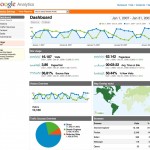 Granting someone user access to your Google Analytics reports is easy, and we hope that the following step-by-step guide will make it even easier.
First, go to http://www.google.com/analytics/ to log-in to your Google Analytics account, and then follow these 5 easy steps:
If you don't see some of these tabs and options, it probably means that someone else set up the Analytics account for you and set your access to User instead of Administrator. Only Administrators can grant access to other users, so whomever set up your account will have to increase your access or follow these steps on your behalf.
Note that if you add someone as an administrator, it will give them full privileges to modify anything in your Analytics profile. This level of access may be necessary for what you want them to do, but if you only want them to view your reports then you should set their access to "user".
Sharing your Google Analytics reports in this way will allow anyone you're working
Granting someone user access to your Google Analytics reports is easy, and we hope that the following step-by-step guide will make it even easier.
First, go to http://www.google.com/analytics/ to log-in to your Google Analytics account, and then follow these 5 easy steps:
If you don't see some of these tabs and options, it probably means that someone else set up the Analytics account for you and set your access to User instead of Administrator. Only Administrators can grant access to other users, so whomever set up your account will have to increase your access or follow these steps on your behalf.
Note that if you add someone as an administrator, it will give them full privileges to modify anything in your Analytics profile. This level of access may be necessary for what you want them to do, but if you only want them to view your reports then you should set their access to "user".
Sharing your Google Analytics reports in this way will allow anyone you're working  A number of SEO services offer free consultations but a site analysis is a different service. It involves research and data to determine your strategy’s, successes and obstacles.
Why Try an In-Depth Website Analysis?
SEO Second Opinion
We love second opinions. One expert is not always enough!
A site analysis will let you know what your current SEO firm is working on and will tell you where they are proving their worth, and areas that you, as the customer, should be asking about or checking in on.
Improve Strategy on a Budget
If you are a website DIY (do-it-yourself) kind of person, an in-depth analysis will offer the direction for handling your business's web marketing campaign. This way, you will not waste time on Social Media, for example, if your business would benefit best from a pay-per-click campaign.
By discovering your website’s strengths and limitations you will have a clear understanding of where your time and money needs to be invested for the fast and eff
A number of SEO services offer free consultations but a site analysis is a different service. It involves research and data to determine your strategy’s, successes and obstacles.
Why Try an In-Depth Website Analysis?
SEO Second Opinion
We love second opinions. One expert is not always enough!
A site analysis will let you know what your current SEO firm is working on and will tell you where they are proving their worth, and areas that you, as the customer, should be asking about or checking in on.
Improve Strategy on a Budget
If you are a website DIY (do-it-yourself) kind of person, an in-depth analysis will offer the direction for handling your business's web marketing campaign. This way, you will not waste time on Social Media, for example, if your business would benefit best from a pay-per-click campaign.
By discovering your website’s strengths and limitations you will have a clear understanding of where your time and money needs to be invested for the fast and eff  Back in the 90’s all a business had to do was have a website to stand out, receive high rankings in popular search engines and sell their products and services online. In the 2000’s the competition became fierce but a well-designed site and some Internet marketing helped a business to soar past their competitors. So now we ask; what about 2012 and beyond?
Your Website IS your Business - Not an Extension of It
With the growing popularity of mobile apps and smaller, faster computers, shopping from anywhere is easy. Customers buy big screen TVs from the lineup in the grocery store because they have already done their research and read reviews from the convenience of their home or office. There are many families working multiple jobs and encouraging their children to attend extracurricular activities, so who has time to comparison shop in person anymore? No one!
The habits of the average consumer have changed. More people are turning to online storefronts before they visit
Back in the 90’s all a business had to do was have a website to stand out, receive high rankings in popular search engines and sell their products and services online. In the 2000’s the competition became fierce but a well-designed site and some Internet marketing helped a business to soar past their competitors. So now we ask; what about 2012 and beyond?
Your Website IS your Business - Not an Extension of It
With the growing popularity of mobile apps and smaller, faster computers, shopping from anywhere is easy. Customers buy big screen TVs from the lineup in the grocery store because they have already done their research and read reviews from the convenience of their home or office. There are many families working multiple jobs and encouraging their children to attend extracurricular activities, so who has time to comparison shop in person anymore? No one!
The habits of the average consumer have changed. More people are turning to online storefronts before they visit